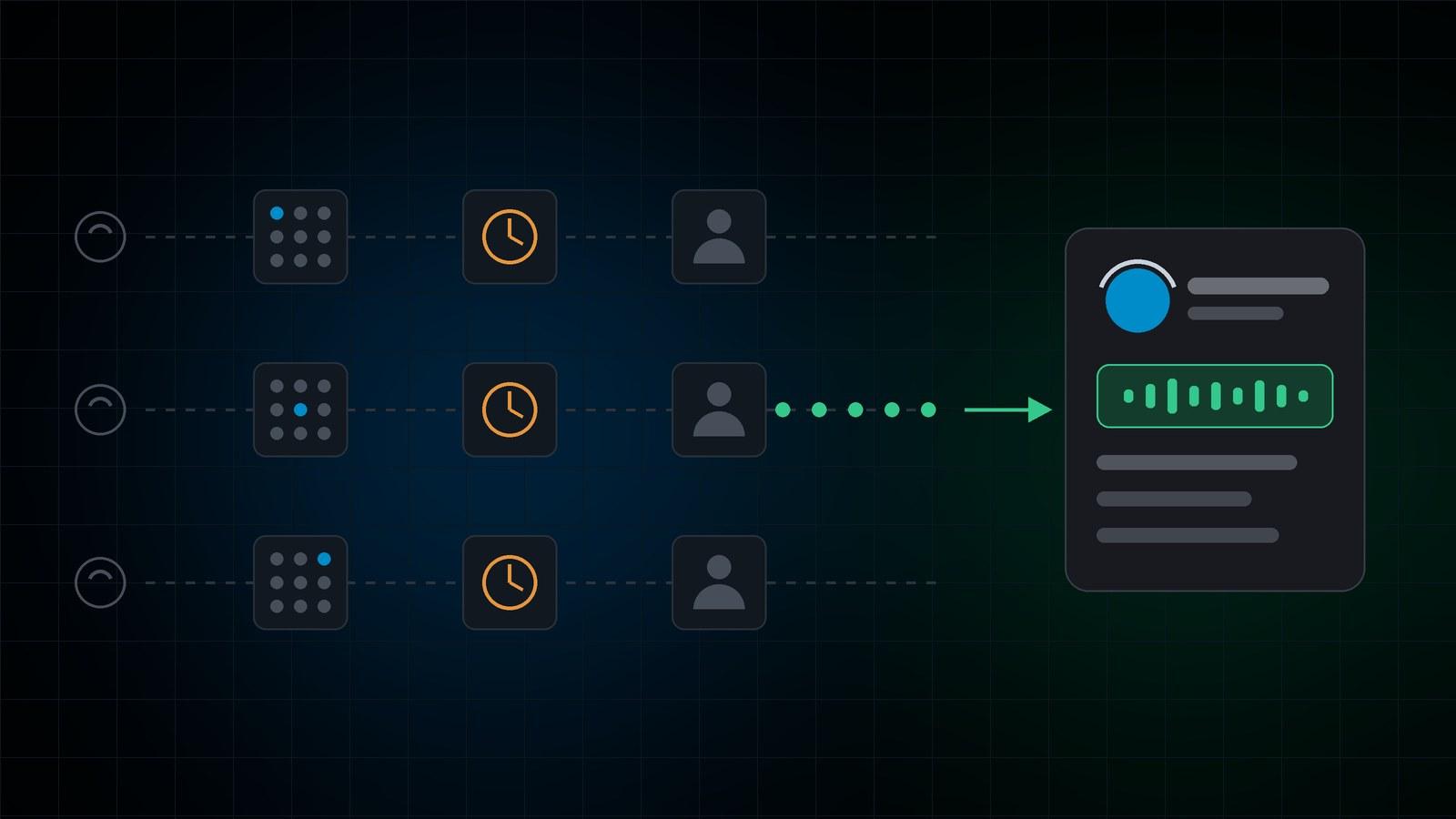
Connecta Reach is an AI caller for B2B outbound teams. It dials a company's main line, works through the phone tree, waits on hold and asks the receptionist for your contact by name, running up to three calls for each waiting SDR. A rep joins only when the decision-maker is on the line, so you need fewer reps for the same conversations.
Why do SDRs spend so little of the day talking to buyers?
Because the number on the list is usually a company's main line, not the buyer's desk. Before an SDR can open a conversation they ring the main line (the company's published number), work through a phone tree (an IVR, the "press 1 for sales" menu), sit on hold, explain themselves to a gatekeeper (the receptionist or assistant who decides whether a call goes through), and often learn the person they wanted is out.
Buyers aren't the problem. In RAIN Group's research, 82% of B2B buyers said they accept meetings with sellers who reach out, and 69% had taken a call from a new provider in the past year. Getting to them is the problem. Gong's analysis of more than 300 million cold calls found the average rep reaches a live prospect on 5.4% of dials, and ZoomInfo puts the time to reach a decision-maker through a switchboard at 22 minutes per connection.
Here is where those minutes go on a typical main-line call, and who spends them.
| Step on the call | Without Reach | With Reach |
|---|---|---|
| Ringing out | SDR waits | Reach waits |
| Phone tree | SDR listens and presses keys | Reach picks the option most likely to reach a person |
| Hold queue | SDR listens to hold music | Reach holds, up to the limit you set |
| Gatekeeper | SDR explains who they are and asks to be put through | Reach asks for your contact by name and gives your reason for calling |
| Contact is out | SDR makes a note to try again | Reach asks when to call back and books it in the dialer |
| Voicemail or dead-end menu | SDR hangs up and starts over | Reach logs the outcome; no rep hears it |
| The conversation | SDR | SDR |
Only the last row needs a salesperson.
What does Connecta Reach do on a call?
Reach runs inside your existing Connecta campaigns. Your SDRs log in and wait in the campaign. Reach places the calls, handles everything up to the conversation, and connects a rep once the contact is on the line:
- It introduces itself as an AI calling for your company, using the caller name and company you set.
- It works the phone tree. By default it tries reception first, then the operator, then sales. If no option leads to a person, it logs a dead end rather than guessing.
- It waits on hold up to the limit on your campaign, then logs the outcome and moves on.
- It asks for your contact by name. The name comes from a column in your lead list. If that's empty it uses the lead's first and last name, and with no name it asks for the person in charge.
- It answers the gatekeeper with its name, your company and the reason for the call you've set.
- It connects the contact to a waiting SDR once they're on the line.
- It books the follow-up. If the contact is out, Reach asks when to call back, books a callback in the dialer for that time and writes what it learned on the lead.
Your reps stop spending their day on hold music and phone trees. Every call they pick up is a person you asked for by name, who has just been told why you're calling.
How many calls can Reach run for each SDR?
Up to three at once for each waiting rep. It's a campaign setting from one to three. A main-line call often spends its first few minutes in a phone tree, on hold or with a receptionist, so several can be in progress for every SDR who is free.
When one call reaches the contact, Reach connects it to the waiting rep and keeps working the others, which are still on hold, in menus or with reception. By the time the rep finishes, the next contact may be on the line. Reach only starts new calls while a rep is waiting, so calls don't pile up with nobody to take them.
If two contacts come on the line together and only one rep is free, Reach apologizes to the second, explains that nobody is free and books a callback for a time that suits them. The line is never left silent, and these calls are logged as their own outcome so you can see how often it happens.
| Calls per SDR | When it fits | What to watch |
|---|---|---|
| 1 | Starting out, small teams, high-value accounts | Rep idle time between connects |
| 2 | Lists that are mostly main lines with long holds | How often a contact is reached with no rep free |
| 3 | Large lists of switchboards, steady rep availability | Same, plus callback volume |
Start at one, then raise it while watching how often a contact reaches the line with no rep free. Talk to us about the right setting before you go above one.
How many SDRs do you need with Reach?
Fewer for the same number of conversations, because Reach takes the waiting out of each rep's day. You can bank that as headcount, or keep the team and have more conversations. Reach doesn't replace your reps. It replaces the time they spend waiting.
To estimate it for your own team, time about 20 calls to company main lines. For each, write down the minutes from dialing until the rep is speaking to the named contact (or gives up), and the minutes of real conversation. The first number is the time Reach takes off your reps. Count how many calls end with the contact out, too, because each of those becomes a callback Reach books instead of another cold attempt.
Reach fits teams whose lists are mostly main lines rather than direct dials: commercial energy brokers calling business owners about renewals, commercial insurance and finance brokers, telecom and IT resellers, and B2B service companies following up on inquiries.
How does Reach handle gatekeepers, phone trees and call screeners?
The same way a good SDR does. It asks for the person by name, says who it is and why it's calling in one sentence, and if the contact is out, asks when is a good time rather than whether it can call back. Receptionists put through callers who are clear and polite; vague ones get "can I take a message?"
Call screeners on cell phones are gatekeepers too. Since iOS 26, iPhone users can turn on Call Screening, which answers unknown numbers, asks the caller for their name and reason, and shows the reply as text before the phone rings. Google's Call Screen on Pixel phones works in a similar way. Reach recognizes a screener and answers with its name, your company and your reason for calling. For more on screeners, see why cold lists belong outside your CRM.
Are AI sales calls legal in the US?
They can be, but AI voices are regulated. In February 2024 the FCC confirmed that AI-generated voices count as "artificial" voices under the Telephone Consumer Protection Act (TCPA). That means the TCPA's rules on artificial-voice calls apply to an AI caller:
- Cell phones: artificial-voice calls need the called party's prior express consent, and prior express written consent when the call is telemarketing. This applies to business cell phones too.
- Residential lines: artificial-voice telemarketing calls need prior express written consent.
- Business landlines: the TCPA gives business main lines much less protection than cell phones and residential lines.
- Identification: artificial-voice calls must identify the caller at the start of the call and give a telephone number.
Reach is built for B2B calls to company main lines. Before you put cell phone numbers on a Reach campaign, make sure you have the right consent for them. This is a summary, not legal advice; check your lists and use case with counsel.
Connecta's own controls apply to every Reach call: your do-not-call list on every dial path, calling hours and days per campaign, contact-frequency limits per number and call recording. Connecta doesn't scrub against the National Do Not Call Registry, so scrub lists before you upload them. The FTC's Telemarketing Sales Rule exempts most B2B calls, but since its 2024 amendment, misrepresentation on B2B calls is covered. Reach never pretends to be a person: it says it's an AI at the start of every call.
Frequently asked questions
How many calls can Connecta Reach make for each SDR?
Up to three at once for each waiting rep, set per campaign. When one call reaches the contact, the rep takes it and Reach keeps working the others. Most teams start at one call per rep and increase it while watching how often a contact is reached with no rep free.
Is an AI sales call a robocall under the TCPA?
The FCC ruled in February 2024 that AI-generated voices are "artificial" voices under the TCPA, so the TCPA's artificial-voice rules apply. Calls to cell phones need prior express consent (written consent for telemarketing), and artificial-voice telemarketing to residential lines needs prior express written consent. Business landlines have much less protection. Reach is designed for company main lines.
Does Reach replace SDRs?
No. Reach handles the phone trees, hold queues and receptionists, then connects the contact to one of your reps. The sales conversation is always with a person. What changes is how many reps you need for the same number of conversations.
Does Reach work for commercial energy brokers?
Yes. Energy broker lists are mostly business main lines, where the owner or finance lead sits behind a receptionist, which is where Reach saves the most time. See Connecta for energy brokers and our guide to getting from cold call to signed LOA.
How can we try Reach?
Reach is in testing and Hostcomm switches it on per campaign. The simplest test is a small campaign at one call per rep that calls your own main line, so you hear the whole route from the other end. You'll need a lead list with a contact-name column, the caller name, company and reason Reach should use, a callback number and a hold limit.
If your reps spend more of their day on hold than talking to buyers, test Reach on your own lists. See how it fits with the rest of Connecta, or talk to us about switching it on.
Book a 20-minute walkthrough