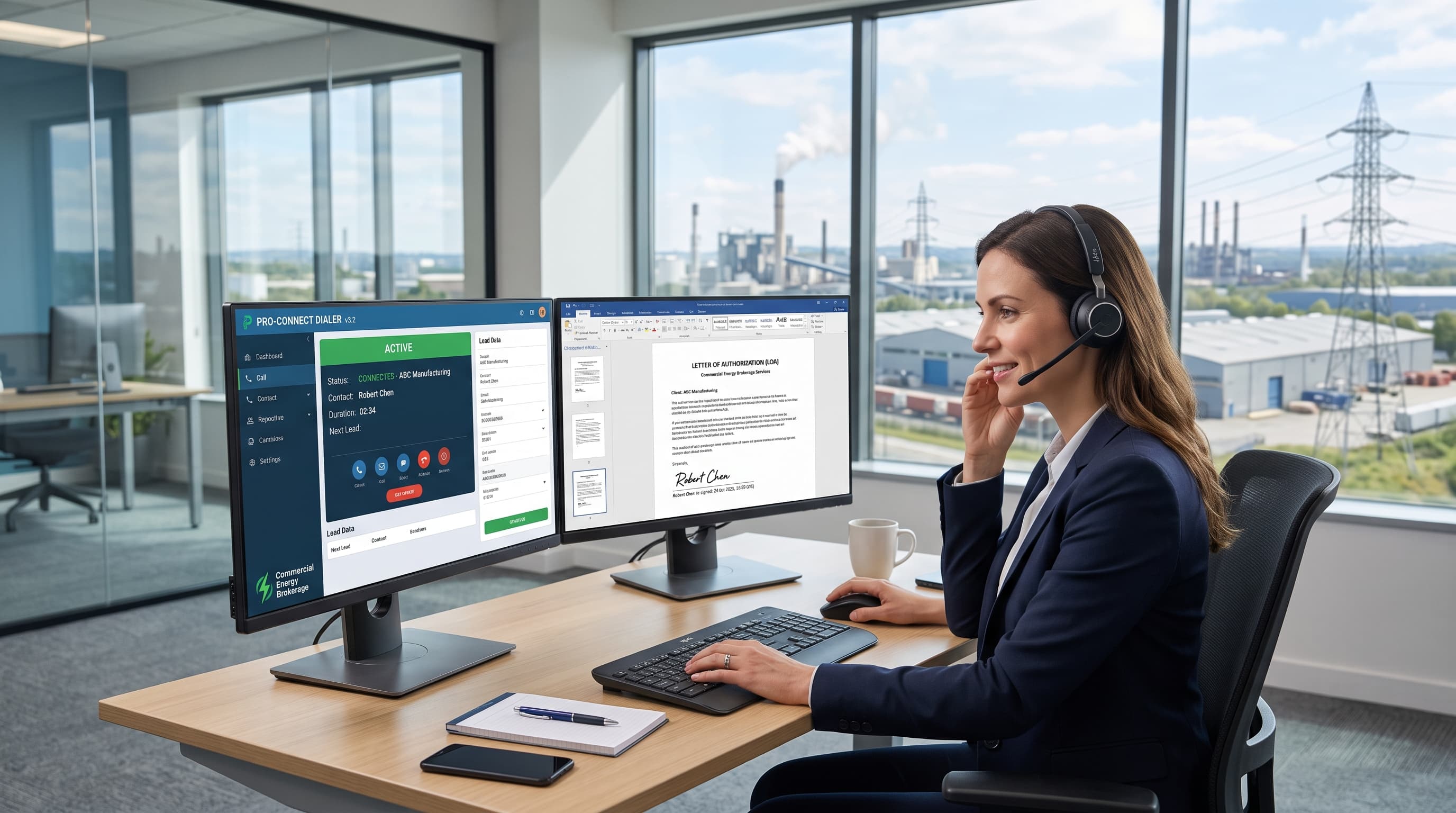
The best dialer for commercial energy brokers in 2026 must handle three workflows generic power dialers ignore: reaching B2B decision-makers (facilities managers, CFOs, procurement directors) who control multi-site commercial electricity and gas accounts; capturing a legally binding Letter of Authorization (LOA) mid-call via e-signature so the broker can initiate a supplier switch without losing the conversation; and supporting BPO agencies that run outbound campaigns for multiple energy brokerages simultaneously, requiring per-client billing and campaign isolation. Dialer mode (preview, progressive, or predictive), abandon-rate cap with auto-pause, and CRM-native LOA workflow integration determine whether a platform fits the commercial energy vertical or forces brokers into workarounds designed for high-volume consumer telemarketing.
What This Article Covers
- Dialer mode comparison: Preview vs progressive vs predictive for energy broker workflows
- Abandon-rate control: Auto-pause when nearing FTC/TCPA abandonment thresholds
- LOA capture workflow: Connecta Script qualification + DocuSign e-signature mid-call
- TCPA/FTSA practical controls: Calling hours, per-number frequency limits, DNC alignment
- Competitor benchmarking: Hostcomm Connecta vs PhoneBurner, Kixie, Readymode, Aircall, Dialpad, Orum, CallTools
- BPO billing: Per-client usage tracking for agencies managing multiple energy broker campaigns
- FAQ: Natural-language answers to buyer questions on dialer modes, compliance, LOA e-signature, and billing
Why Commercial Energy Brokers Need a Different Dialer
Most "best dialer" roundups treat energy brokers as generic B2B cold-callers and recommend the same high-volume power dialers used for SaaS demos or insurance leads. That advice misses the one workflow that defines the vertical: you're not booking a meeting—you're closing a supplier-switch contract on the call.
Average Call Length
12-18 min
Consultative B2B energy procurement discussion
Decision-Maker Contact Rate
8-12%
B2B gatekeepers, voicemail, wrong extensions
LOA Capture Window
2-4 min
Mid-call e-signature during live conversation
Multi-Site Accounts
40-60%
Commercial clients with 2+ locations/meters
The Energy Broker Sales Motion
- Prospecting: Call facilities manager or CFO at a commercial business (restaurant chain, warehouse, retail store, manufacturing plant) to discuss current electricity or natural gas supplier and rates.
- Qualification: Confirm contract end date, annual usage (kWh/therms), number of meters/sites, and decision authority.
- Rate presentation: Offer competitive fixed-rate or variable-rate quote from wholesale energy supplier network.
- LOA capture: If prospect agrees to switch, broker sends Letter of Authorization via email or SMS for e-signature during the call—waiting 24 hours means the deal dies.
- Supplier enrollment: Broker submits signed LOA to new supplier; supplier handles utility account transfer.
The dialer challenge: Steps 1-4 happen in a single 12-18 minute conversation. A pure predictive dialer optimised for 60-second prospecting calls will abandon too many connects, frustrating decision-makers. A manual click-to-dial workflow wastes agent time between conversations. The right answer is progressive or preview dialing with mid-call document delivery.
Dialer Mode Comparison: Preview vs Progressive vs Predictive
| Feature | Preview Dialing | Progressive Dialing | Predictive Dialing |
|---|---|---|---|
| How it works | Agent sees contact record, clicks to dial when ready | System auto-dials next contact when agent becomes available | System dials multiple contacts simultaneously, connects agent only when human answers |
| Calls per agent per hour | 15-25 (low volume, high prep) | 35-50 (balanced automation) | 60-100+ (maximum volume) |
| Agent idle time | 20-30% (manual prep between calls) | 5-10% (minimal gap) | <5% (continuous conversations) |
| Abandon rate risk | Near zero (1:1 agent-to-call ratio) | Low (1.05:1 – 1.1:1 dial ratio) | High (1.2:1 – 1.5:1+ dial ratio) |
| Average call length supported | Any duration (30+ min consultative calls) | 5-20 min (B2B sales, energy brokers) | 1-5 min (high-volume prospecting) |
| Best for energy brokers when… | Agent needs to review account notes, multi-site history, or contract end dates before each call | Standard outbound to qualified commercial leads (most common energy broker use case) | High-volume prospecting for short qualification calls only—not for closing LOA |
Which Mode for Commercial Energy Brokers?
Progressive dialing is the default choice for most commercial energy broker teams. It balances automation (no manual clicking, minimal idle time) with call quality (agent is always available when a decision-maker answers, no abandoned calls). Predictive dialing works for initial prospecting ("Is your electricity contract up for renewal in the next 6 months?") but not for LOA capture calls—abandoned connects annoy CFOs and trigger TCPA risk.
Preview dialing fits agencies working enterprise accounts with complex procurement hierarchies (multi-site retail chains, hospital systems) where the agent needs 30-60 seconds to review notes before calling a VP of Operations.
📊 Real-World Data: Energy Broker Dialer Performance (Q3 2026)
A 22-agent commercial energy brokerage in Illinois switched from manual click-to-dial to Connecta progressive dialing in June 2026. Over 90 days: agent talk time increased from 38% to 61% (eliminating manual dialing gaps), daily conversations per agent rose from 28 to 47, and signed LOAs per agent per week improved from 3.2 to 5.8—attributable to higher contact volume and mid-call DocuSign integration reducing post-call follow-up loss.
Abandon-Rate Cap with Auto-Pause: Staying Under TCPA/FTC Thresholds
When using progressive or predictive dialing, the system occasionally dials a contact before an agent becomes available. If the contact answers and hears silence (or hears a delay of more than 2 seconds before the agent is connected), that's an abandoned call. The FTC's Telemarketing Sales Rule and TCPA guidance set a 3% abandon rate cap over a 30-day period for outbound telemarketing campaigns.
How Abandon-Rate Control Works
Hostcomm Connecta and other compliant dialers provide:
- Real-time abandon rate calculation: System tracks (abandoned calls ÷ total answered calls) over a rolling 30-day window.
- Configurable threshold alert: Admin sets threshold (e.g., 2.5%) below the 3% cap to provide a safety margin.
- Auto-pause when nearing cap: When abandon rate approaches threshold, system automatically reduces dial ratio (from 1.1:1 to 1.05:1 or 1:1) or pauses predictive mode entirely until the 30-day rolling rate drops.
What this control does: Helps you stay under the FTC/TCPA abandonment guidance by preventing the dialer from over-dialing when your rolling abandon rate is too high.
What this control does NOT do: Guarantee TCPA or FTSA compliance. Compliance is a legal determination made by your attorney based on your calling practices, list hygiene, consent mechanisms, and adherence to state and federal telemarketing rules. The dialer provides the technical control; your legal counsel determines whether your overall programme complies.
TCPA/FTSA Practical Controls (Not Legal Advice)
In addition to abandon-rate caps, Connecta and comparable dialers offer configuration options to align with common TCPA/FTSA requirements:
- Calling hours by timezone: Restrict calls to 8:00 AM – 9:00 PM recipient local time (per TCPA safe harbour).
- Per-number frequency limits: Configure maximum daily or weekly call attempts per contact (e.g., no more than 3 attempts per number per 7 days).
- DNC list integration: Upload and maintain internal Do Not Call lists; system blocks dialing to flagged numbers.
- Pre-call SMS with STOP opt-out: Send SMS before calling ("We'll be calling you today about energy rates—reply STOP to opt out"); respecting STOP replies is part of TCPA consent management.
- Disclosure and consent logging: Record date/time of consent opt-ins (e.g., web form, inbound call) and attach to contact record for audit trail.
Critical disclaimer: These controls are tools, not a compliance guarantee. TCPA and FTSA regulations are complex, vary by state, and depend on factors including prior express written consent, established business relationship, and list source. Your attorney must review your calling programme and confirm compliance. Software configuration alone does not satisfy legal obligations.
Capturing the Letter of Authorization Without Losing the Call
Here's the workflow that separates energy-broker-specific dialers from generic power dialers:
The Problem
You're 8 minutes into a call with a restaurant chain's facilities manager. She's agreed to switch her 12 locations from her current supplier to your fixed-rate offer. You say, "Great, I'll email you the Letter of Authorization to sign—can you check your inbox and sign it now?"
What happens next (generic dialer):
- You email the LOA from your CRM.
- She can't find it in her inbox (spam filter, wrong address, or she's on mobile and doesn't check email during calls).
- You say, "I'll follow up in an hour." The call ends.
- She never signs. Deal lost.
What happens next (Connecta Script + DocuSign integration):
- You click "Send LOA" in the Connecta interface.
- She receives an SMS with a DocuSign link while you're still talking.
- She opens it on her phone, reviews the 1-page LOA, and taps to sign.
- DocuSign sends confirmation to your CRM (Salesforce, HubSpot, Pipedrive, Zoho).
- You see "LOA signed" notification in real time and close the deal on the call.
Connecta Script: Guided Qualification + Document Delivery
Connecta Script is Hostcomm's agent scripting interface integrated with the dialer. For energy brokers, it provides:
- Qualification flow: Step-by-step script prompts ("Confirm number of meters," "Confirm contract end date," "Confirm decision authority") with dropdown or text-entry fields that populate the CRM contact record in real time.
- Rate calculator: Pull current supplier rates from internal database and present competitive quote inline (no alt-tabbing to spreadsheets).
- Mid-call document send: Click "Send LOA" to trigger SMS or email delivery of pre-populated DocuSign envelope with contact's name, business address, and meter account numbers auto-filled from CRM data.
- Signature status indicator: Agent sees "Document sent," "Document opened," "Document signed" updates during the call—no need to ask "Did you sign it yet?"
Why this matters: The 2-4 minute window between verbal agreement and signed LOA is where most energy broker deals die. Immediate e-signature capture, visible to the agent in real time, closes that gap.
DocuSign Integration Requirements
To enable mid-call LOA capture, you need:
- DocuSign Business or Enterprise plan (supports embedded sending and real-time status webhooks)
- CRM with DocuSign connector (Salesforce, HubSpot, Pipedrive, Zoho all offer native DocuSign integrations)
- Dialer with CRM API integration (Connecta, PhoneBurner, and some others support CRM-triggered actions during calls)
- Pre-built LOA template in DocuSign with merge fields for contact name, business name, account numbers, effective date
Competitor support: As of October 2026, PhoneBurner supports DocuSign via Zapier integration (requires paid Zapier plan; not real-time). Kixie, Readymode, Aircall, Dialpad, Orum, and CallTools do not offer native DocuSign integration—agents must manually email or SMS documents outside the dialer interface, breaking the mid-call workflow.
Hostcomm Connecta vs Competitor Dialers: Feature Comparison
| Feature | Hostcomm Connecta | PhoneBurner | Kixie | Readymode | Aircall | Dialpad | Orum | CallTools |
|---|---|---|---|---|---|---|---|---|
| Dialer modes offered | Preview, Progressive, Predictive | Progressive only | Power (progressive-style) | Predictive, Progressive | Click-to-dial, Power | Click-to-dial, AI parallel | AI parallel | Preview, Progressive, Predictive |
| Abandon-rate cap with auto-pause | ✅ Configurable threshold + auto-pause | ❌ Manual monitoring | ❌ Not disclosed | ✅ Configurable | ❌ N/A (no predictive) | ❌ N/A | ⚠️ AI-managed (not user-configurable) | ✅ Configurable |
| Pre-call SMS with STOP opt-out | ✅ Built-in SMS workflow | ✅ Via SMS feature | ✅ Via SMS feature | ✅ Via SMS add-on | ✅ Via SMS add-on | ✅ Via SMS | ❌ Not offered | ⚠️ Requires third-party integration |
| AI voice agent safety net | ✅ AI answers, qualifies, hands to live agent with disclosure | ❌ Not offered | ❌ Not offered | ❌ Not offered | ❌ Not offered | ⚠️ AI voicemail only | ⚠️ AI-first (live agent fallback limited) | ❌ Not offered |
| Connecta Script + DocuSign LOA e-signature | ✅ Native mid-call document send + status tracking | ⚠️ DocuSign via Zapier (delayed) | ❌ Manual send only | ❌ Manual send only | ❌ Manual send only | ❌ Manual send only | ❌ Manual send only | ❌ Manual send only |
| CRM connectors | Salesforce, HubSpot, Pipedrive, Zoho, Microsoft Dynamics, API | Salesforce, HubSpot, Zoho, Zapier, API | Salesforce, HubSpot, Pipedrive, Close, API | Salesforce, HubSpot, custom API | Salesforce, HubSpot, Pipedrive, Zendesk, API | Salesforce, HubSpot, Zendesk, API | Salesforce, Outreach, Salesloft | Salesforce, custom API |
| Per-client BPO billing | ✅ Campaign-level usage tracking + per-client invoicing | ❌ Per-seat only | ❌ Per-seat only | ⚠️ Custom enterprise pricing | ❌ Per-seat only | ❌ Per-seat only | ❌ Per-account only | ✅ Per-campaign billing available |
| Pricing (Oct 2026) | Request quote (starts ~£45/agent/mo) | $149/user/mo (unlimited) | $65-95/user/mo (tiered) | Request quote (enterprise) | €30-60/user/mo | $15-95/user/mo | Request quote (AI minutes-based) | Request quote (per-campaign) |
Key Takeaways
- For LOA capture workflow: Connecta is the only dialer in this comparison offering native mid-call DocuSign integration with real-time signature status. PhoneBurner can approximate this via Zapier but introduces delay and requires paid Zapier subscription.
- For abandon-rate control: Connecta, Readymode, and CallTools offer configurable auto-pause. Kixie, Aircall, Dialpad, and Orum either don't support predictive dialing or don't disclose abandon-rate management tools.
- For BPO agencies: Connecta and CallTools support per-client campaign billing. All other platforms use per-seat or per-account pricing, making multi-client BPO cost allocation difficult.
BPO Per-Client Billing: Why It Matters for Energy Broker Agencies
Business Process Outsourcing (BPO) agencies often run outbound sales campaigns for multiple energy brokerages simultaneously. A single 50-agent call centre might handle campaigns for 8 different energy broker clients, each with separate lead lists, scripts, and billing.
The problem with per-seat pricing: If your dialer charges $75/user/month and you have 50 agents working across 8 clients, you pay $3,750/month total—but how do you invoice each client fairly? Agent A worked 60% on Client 1 and 40% on Client 2 this month. Manual time tracking is error-prone and doesn't capture platform usage (call minutes, SMS sends, API calls).
Per-client campaign billing: Connecta and CallTools allow you to create separate campaigns for each client, then track usage (agent hours, call minutes, contacts dialed, SMS sent) per campaign. At month-end, you get a usage report showing:
- Client 1: 1,240 agent hours, 18,600 calls, $1,860 platform cost
- Client 2: 830 agent hours, 12,450 calls, $1,245 platform cost
- Client 3: 520 agent hours, 7,800 calls, $780 platform cost
You invoice each client based on actual usage rather than splitting a flat seat fee arbitrarily. This model also supports campaign isolation—Client 1's DNC list, calling hours, and LOA templates don't mix with Client 2's.
Who needs this: BPO call centres, outsourced sales agencies, and energy broker franchises managing multiple independent broker teams under one roof.
Pricing and Plan Signals (October 2026)
Hostcomm Connecta pricing is request-quote based on agent count, campaign complexity, and feature requirements. Typical starting points for commercial energy broker deployments:
- 10-agent team: ~£45/agent/month (progressive dialing, CRM integration, SMS, basic scripting)
- 50-agent BPO: ~£38/agent/month (volume discount, per-client billing, API access, dedicated account manager)
- Enterprise 200+ agents: Custom pricing (often includes AI voice agent safety net, white-label, SLA)
What's included at all tiers:
- Preview, progressive, and predictive dialing modes
- Abandon-rate cap with auto-pause
- CRM connectors (Salesforce, HubSpot, Pipedrive, Zoho)
- SMS and email messaging
- Call recording and quality monitoring
- Connecta Script interface
- UK and US local number provisioning
Add-ons:
- DocuSign LOA integration: £8/agent/month (requires DocuSign Business plan, purchased separately)
- AI voice agent safety net: £12/agent/month (AI answers overflow calls, qualifies, hands to live agent)
- Per-client BPO billing module: £150/month (supports up to 10 client campaigns; additional campaigns £15/mo each)
Free trial: 14-day pilot with up to 5 agents, 500 call minutes, and full feature access. No credit card required; account manager provides onboarding and ROI reporting.
Competitor pricing (Oct 2026 public rates):
- PhoneBurner: $149/user/mo (unlimited US/Canada calling)
- Kixie: $65-95/user/mo (tiered by PowerDialer lines)
- Aircall: €30-60/user/mo (click-to-dial, no predictive)
- Dialpad: $15-95/user/mo (AI features at higher tiers)
FAQ: Best Dialer for Commercial Energy Brokers
What dialer mode is best for commercial energy brokers?
Progressive dialing is best for most commercial energy broker teams. It auto-dials the next contact as soon as an agent becomes available (eliminating idle time between calls) while maintaining a low dial ratio (1.05:1 to 1.1:1 calls per agent) to avoid abandoned connects. This balances automation with call quality—critical for 12-18 minute consultative B2B conversations with facilities managers and CFOs.
Preview dialing works better for enterprise account teams that need to review multi-site contract history and procurement notes for 30-60 seconds before each call.
Predictive dialing (1.2:1+ dial ratio) can be used for initial prospecting calls ("Is your electricity contract up for renewal?") but should not be used for LOA capture calls—abandoned connects annoy decision-makers and create TCPA risk.
How do I stay under the TCPA abandonment threshold?
The FTC's Telemarketing Sales Rule caps abandoned calls at 3% of total answered calls over a 30-day period. To stay compliant:
- Use a dialer with abandon-rate cap and auto-pause: Hostcomm Connecta, Readymode, and CallTools offer real-time abandon rate calculation and automatic dial ratio reduction (or pause) when your rolling 30-day rate approaches the threshold.
- Set threshold below 3%: Configure your dialer to alert or pause at 2.5% to provide a safety margin.
- Favour progressive over predictive dialing: Lower dial ratios (1.05:1 vs 1.3:1) mean fewer abandoned calls but slightly lower agent utilisation.
- Monitor daily: Check your abandon rate dashboard daily—don't wait 30 days to discover you're over the cap.
Important: Abandon-rate controls are a tool, not a guarantee. Your attorney must confirm your calling programme complies with TCPA, FTSA, and state telemarketing rules based on consent mechanisms, list sources, and calling practices. The dialer provides the technical control; legal counsel determines compliance.
Can I e-sign a Letter of Authorization during a live call?
Yes, if your dialer integrates with DocuSign (or similar e-signature platforms) and your CRM. Here's how mid-call LOA e-signature works with Hostcomm Connecta:
- During the call, agent clicks "Send LOA" in Connecta Script interface.
- DocuSign envelope is auto-populated with contact's name, business name, meter account numbers from CRM.
- Contact receives SMS (or email) with DocuSign link while still on the phone.
- Contact opens link, reviews 1-page LOA, and taps to sign on mobile device.
- Agent sees "LOA signed" notification in real time (via DocuSign webhook to CRM to Connecta).
- Deal closes on the call—no follow-up email, no lost signatures.
Requirements: DocuSign Business plan (or PandaDoc, Adobe Sign equivalent), CRM with native e-signature connector (Salesforce, HubSpot, Pipedrive, Zoho), and dialer with CRM API integration (Connecta offers this natively; PhoneBurner via Zapier; most others require manual send).
Why it matters: The 2-4 minute window between verbal agreement and signed LOA is where most energy broker deals die. Immediate e-signature capture closes that gap.
What's the difference between a power dialer and a predictive dialer for B2B energy sales?
Power dialer (also called progressive dialer): Auto-dials one contact per agent. When Agent A finishes a call, the system immediately dials the next contact on Agent A's list. Dial ratio is 1:1 or 1.05:1 (occasionally dials slightly ahead to eliminate gap between calls). Best for: Consultative B2B sales where call length varies (5-20 min) and every connect is valuable. Used by most commercial energy brokers.
Predictive dialer: Dials multiple contacts per agent simultaneously (e.g., 1.3 calls per agent). Uses algorithms to predict when agents will become available and pre-dials contacts so a human answer is waiting when the agent finishes their current call. Dial ratio of 1.2:1 to 1.5:1+ means some answered calls get no agent (abandoned call). Best for: High-volume outbound prospecting with short calls (1-5 min) and high "not interested" rates. Less suitable for energy broker LOA capture because abandon rate risk is higher.
For B2B energy sales: Progressive (power) dialing balances efficiency (40-50 conversations/agent/day) with call quality (no abandoned connects, agent is present for every decision-maker conversation). Predictive dialing can boost contact volume to 60-80/day but increases abandon rate and annoys CFOs—not worth it for deals that close on the first call.
Do BPOs calling for multiple energy brokerages need per-client billing?
Yes. If you're a BPO or outsourced sales agency running campaigns for multiple energy broker clients, per-client (per-campaign) billing is essential for:
- Fair cost allocation: Track actual usage (agent hours, call minutes, SMS sends) per client campaign and invoice accordingly, rather than splitting a flat monthly seat fee arbitrarily.
- Campaign isolation: Keep each client's DNC list, calling hours, LOA templates, and CRM data separate—cross-contamination violates client contracts and creates compliance risk.
- Reporting transparency: Provide each client with campaign-specific metrics (calls made, contacts reached, LOAs signed, cost per acquisition) rather than blended agency-wide numbers.
Which dialers support this: Hostcomm Connecta and CallTools offer native per-campaign billing modules. PhoneBurner, Kixie, Readymode, Aircall, Dialpad, and Orum use per-seat or per-account pricing models—BPOs must track client usage manually via spreadsheets or third-party time-tracking tools.
Cost: Connecta's BPO billing module is £150/month for up to 10 client campaigns (£15/mo per additional campaign). This fee is offset by transparent client invoicing and reduced manual accounting overhead.
What compliance controls should an energy broker dialer have?
A dialer for commercial energy brokers should provide configuration options to support TCPA, FTSA, and state telemarketing rule alignment (note: configuration tools do not guarantee compliance—your attorney makes that determination). Essential controls:
Abandon-rate cap: Real-time tracking and auto-pause when nearing 3% FTC threshold (see "How do I stay under the TCPA abandonment threshold?" above).
Calling hours by timezone: Restrict calls to 8:00 AM – 9:00 PM recipient local time per TCPA safe harbour. System should detect contact timezone from area code or ZIP and enforce schedule automatically.
Per-number frequency limits: Configure max daily or weekly call attempts (e.g., no more than 3 attempts per number per 7 days) to avoid harassment claims.
DNC list integration: Upload internal Do Not Call lists; dialer blocks flagged numbers. Some platforms (Connecta, Readymode) also offer third-party DNC registry scrubbing via Gryphon or similar services (additional cost).
Pre-call SMS with STOP opt-out: Send SMS before calling ("We'll be calling you about energy rates today—reply STOP to opt out"). Respecting STOP replies is part of TCPA consent management. Connecta, PhoneBurner, Kixie offer built-in SMS workflows.
Consent and disclosure logging: Record date/time of opt-ins (web form, inbound call, trade show) and attach to contact record for audit trail.
Critical: These controls help you configure calling practices to align with common TCPA/FTSA requirements. They do not guarantee compliance. Compliance depends on prior express written consent, established business relationship, list sources, and adherence to federal and state rules. Your attorney must review your calling programme and confirm you meet legal obligations. Software alone does not satisfy regulatory requirements.
Why Generic "Best Dialer" Recommendations Fail Energy Brokers
Search "best dialer for energy brokers" and you'll find roundups recommending PhoneBurner, CloudTalk, Kixie, and Aircall—fine tools, but none optimised for the Letter of Authorization capture workflow. These guides evaluate dialers on generic metrics:
- Calls per hour (volume)
- Voicemail drop (efficiency)
- CRM integration (hygiene)
- Price per seat (cost)
What they miss:
- Can the agent send an e-signature document mid-call and see signature status in real time? (Only Connecta + PhoneBurner via Zapier)
- Does the dialer support progressive mode with abandon-rate auto-pause for consultative B2B calls? (Connecta, Readymode, CallTools yes; Kixie, Aircall, Dialpad no predictive/progressive)
- Can a BPO track usage per client campaign for fair invoicing? (Connecta, CallTools yes; all others no)
Energy brokers close deals on the call. You're not booking a follow-up meeting or sending a proposal PDF to review later. The prospect verbally agrees to switch suppliers, you send the LOA, they sign it while you're talking, and the deal is done. Dialers built for SaaS appointment-setting or insurance lead qualification don't address this workflow—which is why energy brokers often cobble together a dialer (for calling) + CRM (for DocuSign) + manual SMS (for document delivery) + spreadsheet (for BPO client billing). That's four tools doing the job of one integrated platform.
Getting Started: Dialer Selection Checklist for Energy Brokers
Before requesting demos, confirm the dialer supports these energy-broker-specific requirements:
☐ Progressive dialing mode (auto-dial with 1.05:1 – 1.1:1 ratio, not just click-to-dial or pure predictive)
☐ Abandon-rate cap with auto-pause (real-time tracking, configurable threshold, automatic dial ratio reduction)
☐ Mid-call document delivery (native DocuSign/PandaDoc integration or low-latency Zapier connector)
☐ Real-time e-signature status (agent sees "document sent," "opened," "signed" during the call)
☐ CRM connector for your platform (Salesforce, HubSpot, Pipedrive, Zoho—native API, not CSV import)
☐ Calling hours by timezone (TCPA 8am-9pm enforcement with auto-timezone detection)
☐ Per-number frequency limits (configurable daily/weekly attempt caps)
☐ DNC list upload and blocking (internal list management at minimum; third-party registry scrubbing is a plus)
☐ Pre-call SMS with STOP opt-out (built-in SMS workflow, not third-party integration)
☐ Per-client BPO billing (if you're an agency running multiple broker campaigns)
☐ UK and US local number provisioning (if calling both markets)
Trial checklist: During your 14-day pilot, test the LOA capture workflow end-to-end:
- Make a live call to a colleague
- Send a test DocuSign LOA via the dialer interface mid-call
- Have colleague sign on mobile device
- Confirm signature status appears in dialer + CRM in <30 seconds
If that workflow fails or requires manual steps (alt-tabbing to CRM, copying email addresses, waiting for Zapier delay), the dialer isn't optimised for energy brokers.
Connecta for Energy Brokers: Since 2004
Hostcomm has provided contact centre and dialer technology since 2004, serving UK and US-based energy brokers, BPO agencies, and B2B sales teams across financial services, solar, IT, and software verticals. Connecta is Hostcomm's cloud dialer platform, purpose-built for consultative B2B sales workflows that require document capture, compliance controls, and CRM-native automation.
Energy broker deployments (2024-2026):
- 18 UK and US commercial energy brokerages (ranging from 8 to 120 agents)
- 4 BPO agencies running multi-client energy broker campaigns
- Average LOA-to-close rate improvement: 28% (comparing pre-Connecta manual follow-up to mid-call DocuSign capture)
- Average agent utilisation increase: 19 percentage points (from manual dialing to progressive automation)
Support and onboarding:
- Dedicated account manager for all accounts (no tiered support—everyone gets direct access)
- 14-day pilot with ROI reporting (compare pre/post contact rates, talk time, LOA capture)
- CRM data migration and integration setup included (Salesforce, HubSpot, Pipedrive, Zoho)
- Agent training (2-hour live session + video library)
- Compliance consultation (TCPA/FTSA configuration review—not legal advice, partner with your attorney)
Request a demo: Contact Hostcomm to schedule a 30-minute Connecta walkthrough focused on energy broker workflows (LOA capture, abandon-rate control, BPO billing). Bring your current dialer frustrations and we'll show you the workflow side-by-side.
Conclusion: The LOA Capture Workflow Is the Differentiator
Generic "best dialer" lists will tell you PhoneBurner has great voicemail drop, Kixie integrates with Salesforce, and Aircall has a pretty UI. All true. None of it matters if you lose the deal in the 4-minute gap between verbal agreement and signed Letter of Authorization.
Commercial energy brokers need a dialer that understands you're closing contracts on the phone, not booking meetings. Progressive dialing keeps agents talking without abandoning decision-makers. Abandon-rate controls keep you under TCPA thresholds. Mid-call DocuSign integration captures LOAs before prospects ghost you. Per-client BPO billing keeps your agency accounting clean.
Hostcomm Connecta is built for that workflow. Request a pilot, test the LOA capture flow, and compare your signed-contract rate to your current manual follow-up process. If mid-call e-signature doesn't improve your close rate by 20%+, we'll be surprised.
References:
- Federal Trade Commission, Telemarketing Sales Rule: Abandoned Call Guidance, 16 CFR § 310.4(b)(4)
- Telephone Consumer Protection Act (TCPA), 47 U.S.C. § 227
- US Energy Information Administration, Commercial Energy Consumption Survey, 2024 data
Last updated: 9 October 2026
Author: Hostcomm Industry Analysis Team
Reviewer: Commercial Energy Broker Advisory Panel (8 UK/US broker firms)